
Seit 1985 erste und vielfältigste Seminareinrichtung für Videofilmerinnen und
Videofilmer im gesamten deutschsprachigen Raum, also neben ganz Deutschland auch in Österreich und in der Schweiz, mit AKTIV-Videowochen an der Cote d´Azur (F) und an anderen Orten in Deutschland.


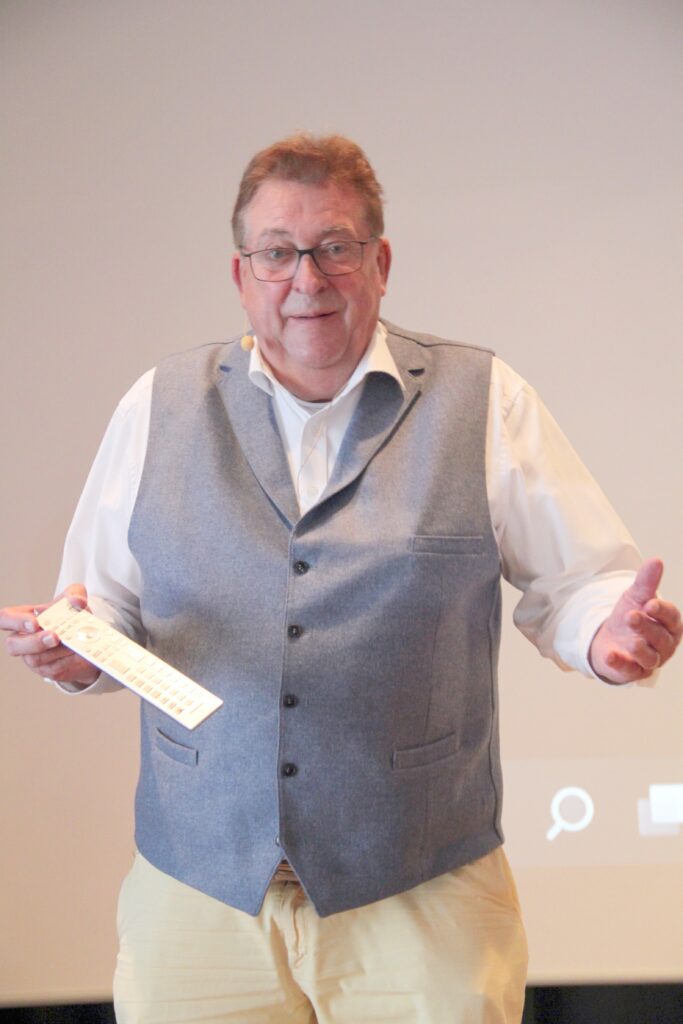
Ganz gleich, ob Sie mit einem richtigen Camcorder, einer Bridgekamera, einem Smartphone oder einer Drohne filmen, die Gestaltung der Aufnahmen unterliegt seit Erfindung des bewegten Bilds ganz bestimmten Regeln. Die müssen Sie kennen, wenn Ihre Zuschauer/innen Freude an Ihren Filmen haben sollen. Mein Team und ich zeigen Ihnen, wie Sie gelungene Familien-, Urlaubs- und Reisefilme sowie Dokumentationen und Feature-Videos planen und drehen. Ganz gleich, wie hoch Ihre Ansprüche sind: bei uns lernen Sie spielend den Umgang mit der Technik und dem richtigen Zubehör sowie die Gestaltung, Vertonung und Betitelung gelungener Videofilme.
Mit welcher Video-Software Sie Ihre Aufnahmen bearbeiten spielt im Prinzip keine Rolle. Vergleichbar mit der Frage, welchen Hammer man nimmt, um einen Nagel in die Wand zu schlagen. Es kommt auf das Können an. Können kommt durch Wissen. Die meisten PC-Systeme zur Videobearbeitung sind vom Markt verschwunden oder durch Abonnements dauerhaft sehr kostenaufwändig.
Wir haben uns auf das bewährte CASABLANCA-System spezialisiert. Das intuitive Geräte- und Software-Programm gibt es als (gebrauchte) LINUX-Komplettsysteme, als WINDOWS-Komplettrechner oder als Plug-In-Software für entsprechend gute PCs und Notebooks. Die leichte Bedienung und die grenzenlose Gestaltungsvielfalt begeistern zentausende engagierter Videofilmer/innen, Videoclubs und TV-Redaktionen.
Nachdem unser bisheriger Internet-Servicepartner im letzten November zum dritten Mal ausgefallen war und keine Newsletter verschickt werden konnten, bin ich nun regional neu eingestiegen und werde mit der www.videoschule.de von Webdesign Hallertau (https://webdesign-hallertau.de) zu meiner großen Freude sehr persönlich und perfekt betreut. Sie sehen hier den neu gestalteten Internetauftritt mit neuen Seminarangeboten, mit dem neuen Newsletter-Service und mit einem Link zu unserem Service- und Verkaufsportal Computer Corner. Letztlich ist das alles Ihr Videopionier Josef Veith. Die Trennung von Seminaren, Support und Schutzbrief-Service auf der einen Seite und Casablanca-, Camera- und Zubehör-Verkauf auf der anderen Seite bringt unseren Kunden eine bessere Übersicht über Leistungen und Service.
Auf den Shop habe ich jetzt bewusst verzichtet. Viel zu schnell wechseln Modelle und Preise. Besondere Angebote erhalten Sie regelmäßig per Newsletter, bitte jetzt hier anmelden unter dem Punkt „Newsletter„, falls Sie noch nicht registriert sind. Wenn Sie bestimmte Geräte bei uns günstig kaufen möchten, schicken Sie Ihre Anfrage mit Geräte-Hersteller und Modellbezeichnung einfach an computer.corner@t-online.de
Ich freue mich schon heute auf ein Zusammentreffen in einem Seminar oder Workshop oder bei Ihrem Besuch bei mir in der Alte Allee 39c in München-Obermenzing.
Ihr Josef Veith
Videoschule München - Seminare für Videofilmer
We firmly believe that the internet should be available and accessible to anyone, and are committed to providing a website that is accessible to the widest possible audience, regardless of circumstance and ability.
To fulfill this, we aim to adhere as strictly as possible to the World Wide Web Consortium’s (W3C) Web Content Accessibility Guidelines 2.1 (WCAG 2.1) at the AA level. These guidelines explain how to make web content accessible to people with a wide array of disabilities. Complying with those guidelines helps us ensure that the website is accessible to all people: blind people, people with motor impairments, visual impairment, cognitive disabilities, and more.
This website utilizes various technologies that are meant to make it as accessible as possible at all times. We utilize an accessibility interface that allows persons with specific disabilities to adjust the website’s UI (user interface) and design it to their personal needs.
Additionally, the website utilizes an AI-based application that runs in the background and optimizes its accessibility level constantly. This application remediates the website’s HTML, adapts Its functionality and behavior for screen-readers used by the blind users, and for keyboard functions used by individuals with motor impairments.
If you’ve found a malfunction or have ideas for improvement, we’ll be happy to hear from you. You can reach out to the website’s operators by using the following email
Our website implements the ARIA attributes (Accessible Rich Internet Applications) technique, alongside various different behavioral changes, to ensure blind users visiting with screen-readers are able to read, comprehend, and enjoy the website’s functions. As soon as a user with a screen-reader enters your site, they immediately receive a prompt to enter the Screen-Reader Profile so they can browse and operate your site effectively. Here’s how our website covers some of the most important screen-reader requirements, alongside console screenshots of code examples:
Screen-reader optimization: we run a background process that learns the website’s components from top to bottom, to ensure ongoing compliance even when updating the website. In this process, we provide screen-readers with meaningful data using the ARIA set of attributes. For example, we provide accurate form labels; descriptions for actionable icons (social media icons, search icons, cart icons, etc.); validation guidance for form inputs; element roles such as buttons, menus, modal dialogues (popups), and others. Additionally, the background process scans all the website’s images and provides an accurate and meaningful image-object-recognition-based description as an ALT (alternate text) tag for images that are not described. It will also extract texts that are embedded within the image, using an OCR (optical character recognition) technology. To turn on screen-reader adjustments at any time, users need only to press the Alt+1 keyboard combination. Screen-reader users also get automatic announcements to turn the Screen-reader mode on as soon as they enter the website.
These adjustments are compatible with all popular screen readers, including JAWS and NVDA.
Keyboard navigation optimization: The background process also adjusts the website’s HTML, and adds various behaviors using JavaScript code to make the website operable by the keyboard. This includes the ability to navigate the website using the Tab and Shift+Tab keys, operate dropdowns with the arrow keys, close them with Esc, trigger buttons and links using the Enter key, navigate between radio and checkbox elements using the arrow keys, and fill them in with the Spacebar or Enter key.Additionally, keyboard users will find quick-navigation and content-skip menus, available at any time by clicking Alt+1, or as the first elements of the site while navigating with the keyboard. The background process also handles triggered popups by moving the keyboard focus towards them as soon as they appear, and not allow the focus drift outside it.
Users can also use shortcuts such as “M” (menus), “H” (headings), “F” (forms), “B” (buttons), and “G” (graphics) to jump to specific elements.
We aim to support the widest array of browsers and assistive technologies as possible, so our users can choose the best fitting tools for them, with as few limitations as possible. Therefore, we have worked very hard to be able to support all major systems that comprise over 95% of the user market share including Google Chrome, Mozilla Firefox, Apple Safari, Opera and Microsoft Edge, JAWS and NVDA (screen readers).
Despite our very best efforts to allow anybody to adjust the website to their needs. There may still be pages or sections that are not fully accessible, are in the process of becoming accessible, or are lacking an adequate technological solution to make them accessible. Still, we are continually improving our accessibility, adding, updating and improving its options and features, and developing and adopting new technologies. All this is meant to reach the optimal level of accessibility, following technological advancements. For any assistance, please reach out to
